FIRST TIME LOG IN
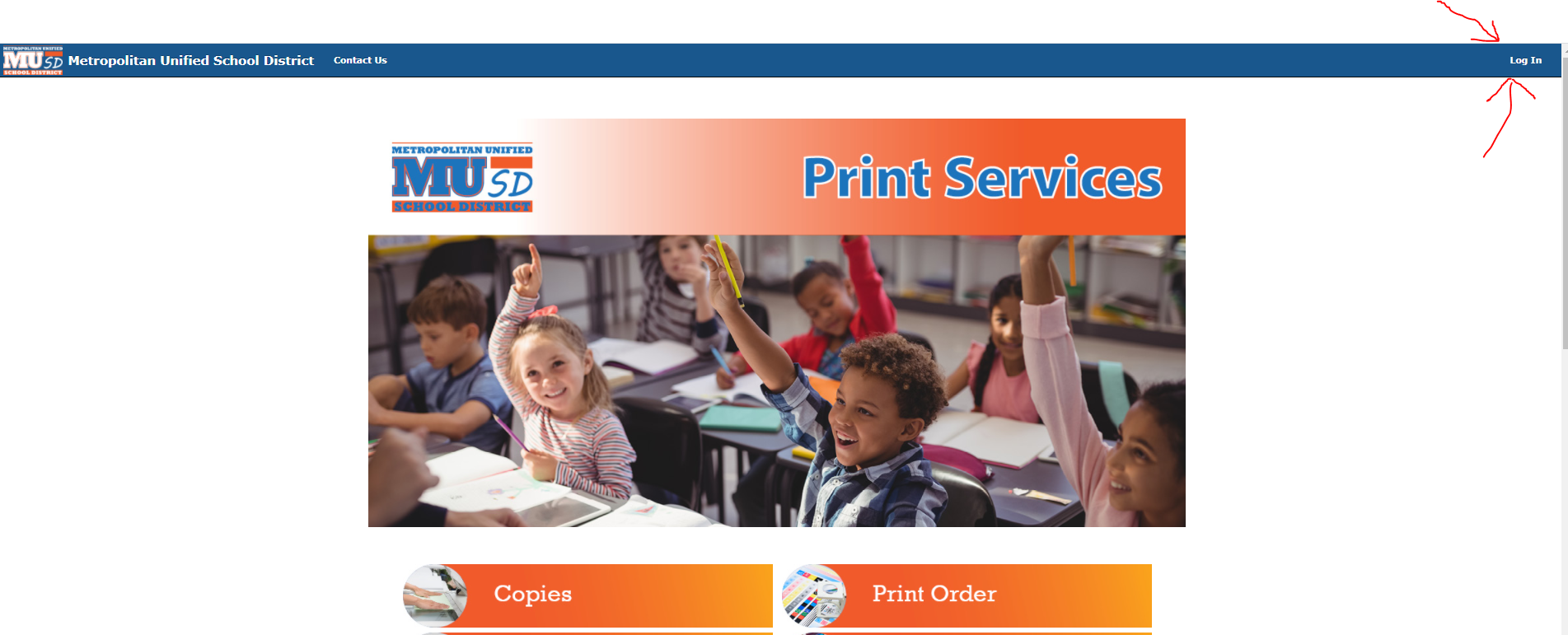
STEP 1: Select the Login button in the top right corner.
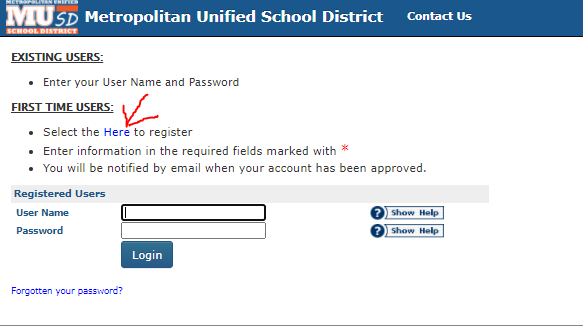
STEP 2: Select the registration HERE link.
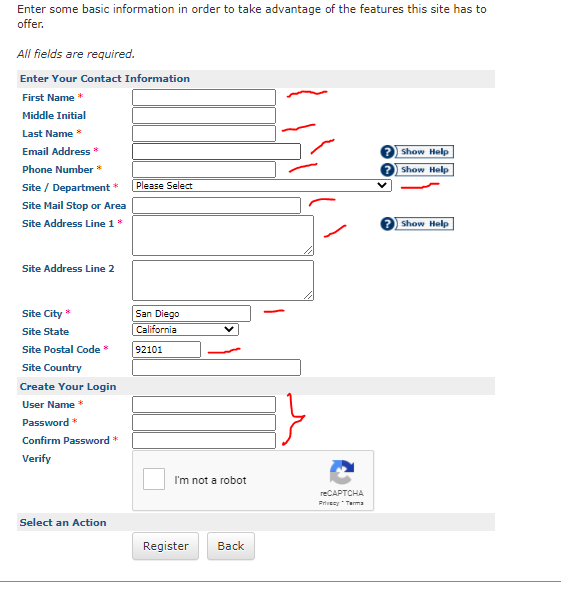
STEP 3: Enter the required information.
- First Name, Last Name, Email, Phone.
- Select your department from the list.
- Important: Enter your campus Mail Stop
- Enter your City, Zip
- Create a username
- Create a password.
STEP 4: You will be notified by email when your account has been approved.
Please contact the print shop at printservices.university.com or by phone at 619-555-5555